
Forgot your PIN?
If you forget your PIN, you can reset it directly from the login screen. A verification code is sent to your phone by SMS to confirm your identity before you set a new one.
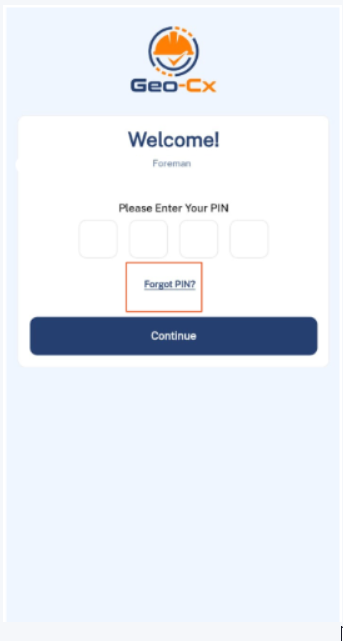
- On the login screen, tap Forgot PIN?
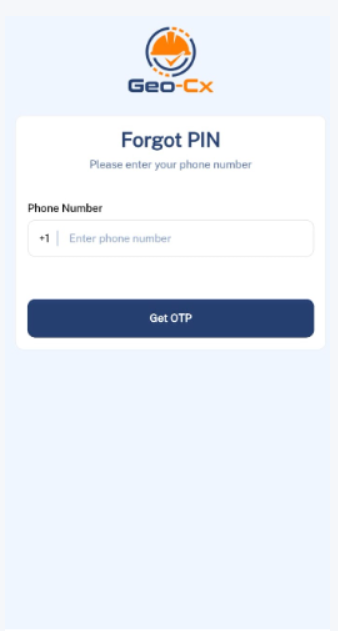
-
Enter your phone number and tap Get OTP. A verification code is sent to your phone by SMS.
-
Enter the code and tap Verify.
-
Set your new PIN, confirm it, and tap Save. You are taken to the home screen.
Note: The verification code expires in 60 seconds. If it runs out, go back and request a new one.
Note: Make sure to enter the same phone number linked to your account. If you are not sure, contact your admin.