
Log in on mobile
The Geo-Cx mobile app uses your phone number to sign you in.
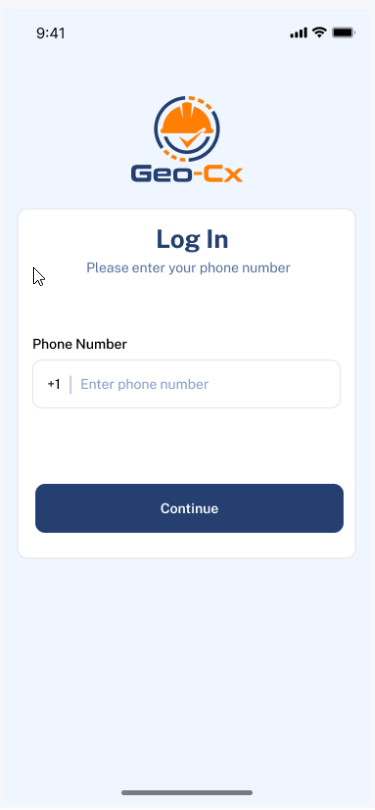
- Open the Geo-Cx app and enter your phone number.
- Tap Continue. A 6-digit code is sent to your phone by SMS.
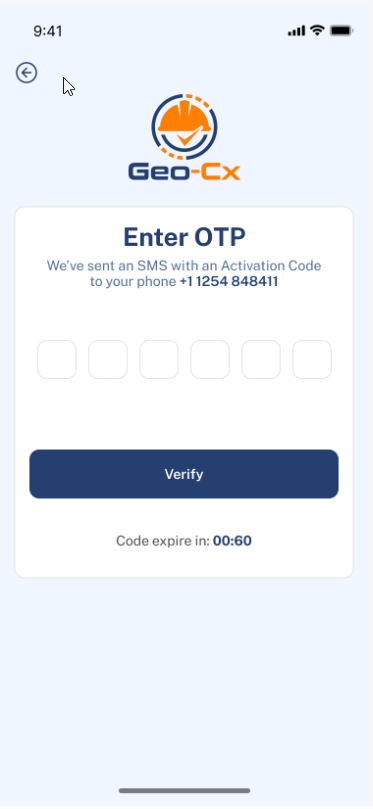
- Enter the code and tap Verify.
Note: The code expires in 60 seconds. If it runs out, go back and tap Continue again to request a new one.
First time logging in? If your admin just added you to the platform, you will see two extra steps after verifying your code:
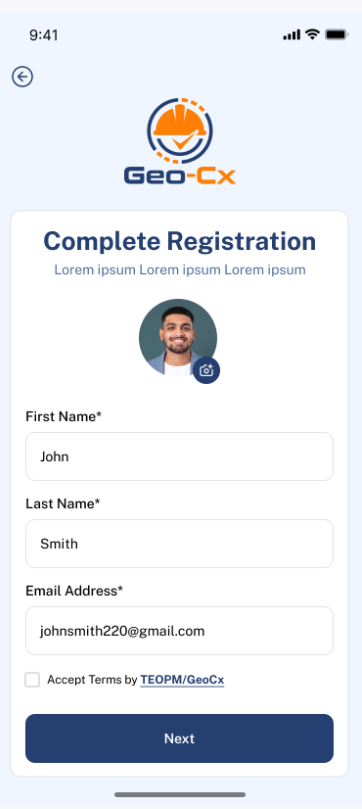
- Fill in your details, accept the terms, and tap Next.
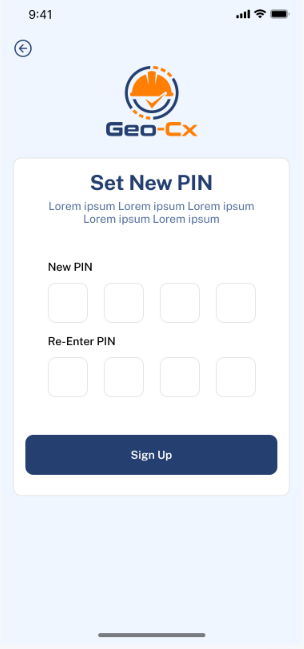
- Set a 4-digit PIN and tap Sign Up. Your account is ready and you are taken to the home screen.
Note: You will use your PIN every time you open the app after the first login. Keep it somewhere safe.
Note: Your phone number must already be registered in the platform by your admin. If the app says your number is not found, ask your admin to add you first.